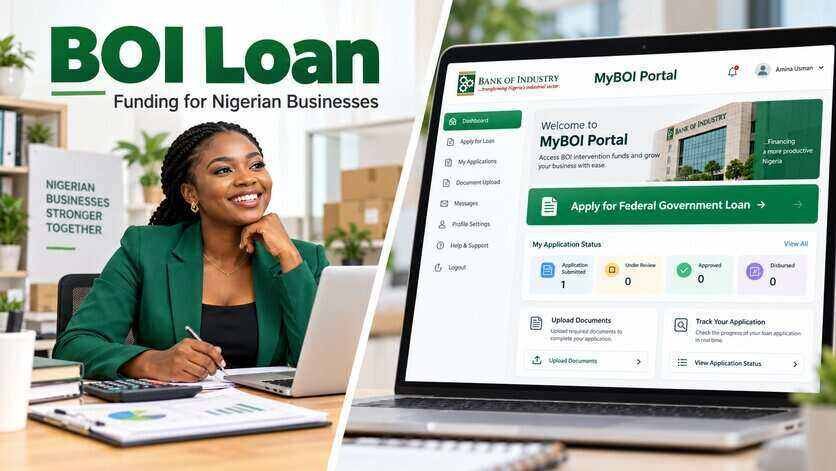
If you have already submitted a Bank of Industry financing application, you can check its progress directly from your MyBOI Portal dashboard.
The portal allows applicants to see their current application status, receive notifications and know when BOI needs additional information or documents.
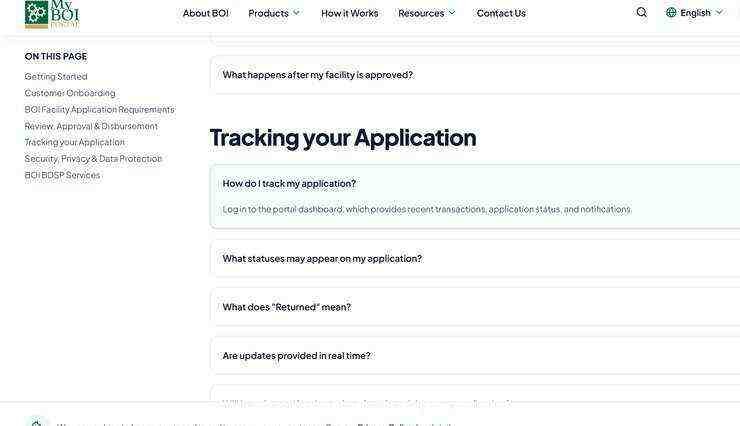
This means you do not need to visit a BOI office just to ask for an update on your application. BOI says application updates on the portal are linked to its internal workflow and are shown in real time.
How to Check Your BOI Loan Application Status
Follow these steps:
1. Visit the MyBOI Portal
Go to: https://onlineportal.boi.ng
Make sure you are using the official BOI website.
2. Log in to Your Account
Enter the login details you used when creating your MyBOI account.
Do not give your password or One Time Password to anyone claiming they can check your application for you.
BOI says applicants are responsible for monitoring their own applications through their MyBOI accounts.
3. Open Your Dashboard
After logging in, go to your dashboard.
The dashboard shows your application information, recent activity, notifications and current application status.
4. Check the Status of Your Application
Open the financing application you want to check.
The status shown will tell you the current stage of the application.
You should also check for any message or notification attached to it, especially if BOI requires you to take action.
Read Also: ₦500,000 Business Grant for Nigerian Entrepreneurs 2026
BOI Application Status and What Each One Means
BOI lists the following statuses on the MyBOI Portal:
Submitted
This means your application has been successfully sent to BOI.
It does not mean the financing has been approved.
After submission, BOI may carry out legal checks, credit bureau checks, compliance verification and credit appraisal before a decision is made.
Under Review
This means BOI is currently assessing your application.
At this stage, the bank may be reviewing your business information, documents, credit history, repayment capacity or other information connected to the financing request.
Applicants should continue checking the dashboard in case BOI requests additional information.
Returned
A returned application is not the same as a rejection.
It means BOI needs you to correct something, provide clarification or upload more information before processing can continue.
If your application is returned:
- Open the application.
- Read BOI’s comments.
- Correct the requested information.
- Upload any additional documents.
- Resubmit the application.
Your previous information remains available, so you do not have to start from the beginning.
Approved
This means BOI has approved the financing request.
BOI says approved applicants will receive an offer letter showing the terms and conditions of the facility.
Approval does not always mean the money will be paid immediately. The applicant may still need to meet conditions stated in the offer letter before disbursement.
Declined
This means the application was not approved.
A declined status is different from Returned because a returned application can still be corrected and resubmitted.
If an application is declined, applicants should check any communication from BOI for further information.
Disbursed
This means the approved financing has moved to the payment stage and funds have been released in line with the approved terms.
After disbursement, BOI may continue monitoring the facility and repayment.
Completed
This shows that the financing process has reached its completed stage on the portal.
Will BOI Send a Notification When My Status Changes?
Yes.
BOI says MyBOI provides notifications when important activities take place on an application.
The dashboard is updated alongside the bank’s internal application workflow.
Applicants should still check the portal regularly instead of depending only on email or phone notifications.
Read Also: New Update on MyBOI Application: BOI Asks Some Applicants to Upload More Documents
How Long Does BOI Application Review Take?
BOI does not give one fixed processing time for every application.
The time required can depend on the financing facility, documents submitted, amount requested and the checks needed before approval.
Applications may pass through stages such as:
- Legal checks
- Credit bureau checks
- Compliance verification
- Credit appraisal
- Approval review
- Documentation
- Disbursement
An application with incomplete documents may take longer because BOI may return it for correction.
What to Do If Your BOI Application Has Not Changed
If your application remains on the same status for some time, first check your dashboard and notifications to confirm that BOI has not requested anything from you.
Also confirm that any required documents were properly submitted.
If you still need help after checking the portal’s FAQ and available instructions, BOI says applicants can contact its customer service channels or seek support at a BOI State Office.
Can Someone Else Track Your BOI Application?
Applicants should monitor their own applications through their MyBOI accounts.
BOI specifically states that Business Development Service Providers do not currently have a separate dashboard for tracking customers’ MyBOI applications.
You should not give another person your password, OTP or portal login details simply because they claim they can track the application on your behalf.
Important Note for Older BOI Applications
If you submitted your BOI application before the MyBOI Portal officially launched on October 2, 2026, you should continue with the process already being used for that application.
BOI advised existing applicants not to submit the same application again through MyBOI.
Official MyBOI Portal
To check your application, visit: https://onlineportal.boi.ng
Log in to your account, open your dashboard and check the status and notifications attached to your application.