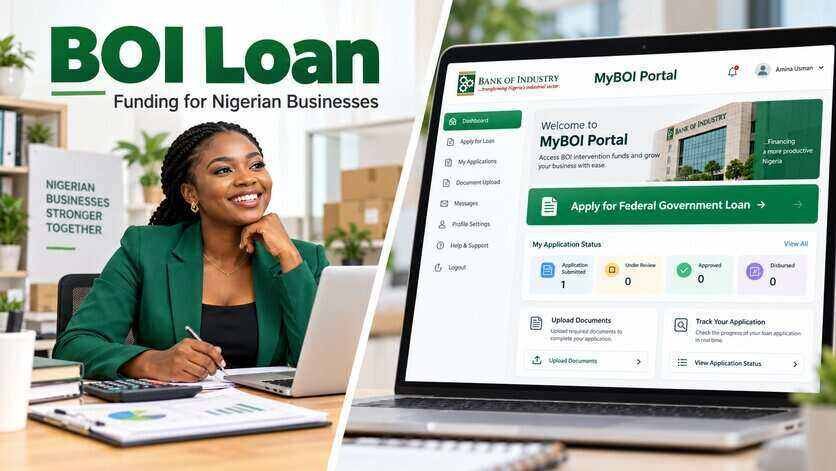
New MyBOI Update: BOI Returns Some Applications for Mandate and Signatory Forms
The Bank of Industry is asking some applicants whose MyBOI customer onboarding applications were returned to provide additional information and upload required forms before processing can continue.
In a notice sent to an applicant, BOI directed the customer to log in to the MyBOI Portal and complete outstanding tasks under the Regulatory Information and Stakeholders sections.
The required actions included downloading and completing the Account Opening Mandate Card and Signatory Form, uploading the completed forms in the appropriate sections and selecting the correct stakeholder type where required.
Applicants who receive a similar notice should understand that a returned application is not the same as a rejected application.
BOI explains that a Returned status means corrections, clarification or additional information are required before processing can continue. Returned applications can be edited and resubmitted, while information already entered remains saved.
Why BOI May Return a MyBOI Application
New MyBOI customers are required to complete customer onboarding before they can proceed fully with a financing application.
This stage includes business profile information, identity verification, regulatory information and other details BOI needs to identify the business and people connected to it.
BOI may return an onboarding application where information is incomplete, inconsistent or requires additional documentation.
For example, the portal may require an applicant to provide information about authorised signatories or business stakeholders before onboarding can be completed.
BOI states that new customers must complete customer onboarding before proceeding to the credit application stage.
Read Also: How to Apply for BOI Loan on MyBOI Portal
What Is the Account Opening Mandate Card?
The Account Opening Mandate Card is used to provide details of people authorised to operate or sign on behalf of the business.
Depending on the business structure, the form may ask for information such as:
- Business or organisation name
- Account details
- Names of authorised signatories
- Identification information
- Passport photograph
- Specimen signature
- Signing arrangement
The signing arrangement tells BOI how transactions or instructions relating to the business should be authorised.
For example, a company may require one signatory to act alone or two authorised persons to sign jointly.
Applicants should follow the exact instructions displayed on their MyBOI account.
What Is the Signatory Form?
The Signatory Form contains details of each person authorised to sign or act for the business.
Where a business has more than one authorised signatory, applicants may be required to complete and upload a separate form for each person.
The portal may provide an Add Document option for businesses that need to upload multiple signatory records.
Applicants should not assume that one completed form is enough for every director or authorised representative.
Upload the number of forms requested by the portal.
Difference Between Mandate Card and Signatory Form
Although both documents relate to people authorised to act for the business, they serve slightly different purposes.
The Mandate Card records the organisation’s signing instructions and authorised persons.
The Signatory Form provides individual information about each authorised signatory.
This is why an applicant may be asked to complete both documents during customer onboarding.
BOI’s official application checklist also includes specimen signature requirements in some financing categories, showing that authorised signatory information forms part of its documentation process.
What to Check Under Regulatory Information
Applicants whose applications are returned should open the Regulatory Information section and check every item marked as incomplete or requiring action.
Do not only upload the Mandate Card and leave the remaining fields unchecked.
Confirm that:
- All mandatory fields have been completed
- Requested forms have been uploaded
- Business information is correct
- Identification details match uploaded documents
- Signatory information is complete
- Required declarations have been accepted
BOI says applications may be prevented from moving forward when required information, supporting documents or declarations are missing.
Read Also: How to Track BOI Loan Application on MyBOI Portal
What to Check Under Stakeholders
The Stakeholders section contains information about individuals connected to the business.
Depending on the type of business, these may include:
- Business owners
- Directors
- Shareholders
- Partners
- Authorised representatives
Applicants may be asked to select the correct stakeholder type for each person.
For example, a company director should not be incorrectly entered under a category that does not match the person’s role.
Check that the names entered under Stakeholders match your CAC and other business records.
Incorrect stakeholder information may cause the application to be returned again.
How to Upload the Mandate and Signatory Forms
If BOI has specifically requested these documents, follow these steps:
1. Log in to MyBOI
Visit the official MyBOI Portal: https://onlineportal.boi.ng
Use your registered login details.
2. Open the Returned Application
Go to your dashboard and select the onboarding application showing Returned.
Read the comments or instructions provided by BOI before making any changes.
3. Open Regulatory Information
Locate the section where the Mandate Card and Signatory Form are required.
Download the forms directly from the portal where available.
4. Complete the Forms
Fill in all requested details carefully.
If the form requires a signature or photograph, make sure these are properly provided before uploading.
5. Upload the Mandate Card
Upload the completed Mandate Card in the field provided.
Where the portal asks for separate documents for each signatory, use the Add Document option.
6. Upload the Signatory Form
Complete and upload a separate Signatory Form for each authorised signatory where required.
Do not upload an empty form or a form belonging to another person.
7. Correct Stakeholder Information
Open the Stakeholders section and select the correct stakeholder type for each person listed.
8. Check for Other Outstanding Tasks
Do not resubmit immediately after fixing only one problem.
Check the entire onboarding application for any other section marked incomplete.
9. Save and Resubmit
Review the changes and resubmit the application when all requested corrections have been completed.
Important Details to Check Before Resubmitting
Applicants can reduce the chance of another return by checking that all information matches across their documents.
Pay attention to:
- Registered business name
- CAC number
- Names of business owners or directors
- Name arrangement
- Date of birth
- Phone number
- Email address
- Identification details
- Signatures
- Stakeholder roles
For example, if a director’s name appears in a particular order on CAC documents, identification and onboarding records should not contain unexplained differences.
Where your business information has legally changed, make sure you are using current supporting documents.
Identity Verification Requirements
BOI says customer onboarding may require a valid government issued means of identification, proof of address, BVN and NIN.
Accepted identification may include a National ID, International Passport, Driver’s Licence or Voter’s Card.
BOI also states that identification documents should have at least six months of validity remaining at the time they are submitted.
Applicants should therefore check whether any identity document attached to the application has expired or is close to expiry.
Returned Is Different From Declined
This distinction is important.
A Returned application can still be corrected and resubmitted.
A Declined application means BOI has made a decision not to approve the application at that stage.
MyBOI currently uses statuses including:
- Submitted
- Under Review
- Returned
- Approved
- Declined
- Disbursed
- Completed
BOI says applicants can see these statuses and relevant notifications from their portal dashboard.
Should You Start a New Application?
Normally, no.
If BOI has returned your existing onboarding application, use the same application to make the required corrections.
BOI states that previously entered information remains available when a returned application is reopened.
Starting another application may create unnecessary duplication.
Only create a new application if BOI specifically instructs you to do so.
Read Also: List of Businesses That Can Apply for BOI Loan Through MyBOI Portal
What Happens After You Resubmit?
Once you resubmit the corrected onboarding application, it goes back into the BOI workflow for further review.
Applicants can monitor the status from the MyBOI dashboard.
BOI says dashboard updates are synchronised with its internal workflow and notifications are provided when important activity takes place on an application.
After onboarding is successfully completed, new customers can proceed to the financing application stages.
The overall MyBOI process includes customer onboarding, pre credit assessment, credit assessment, review, offer letter and eventual disbursement where the application is approved and all conditions are met.
What If You Cannot Find the Required Form?
If BOI has requested a form but you cannot locate it on your application page, first check the relevant Regulatory Information or documentation section.
Do not download a random copy from an unofficial website because the format or version may be different.
If the document is still unavailable, contact BOI support.
BOI lists the following support options on the MyBOI Portal:
Phone: 0700 CALL BOI, which is 0700 225 5264
Email: customercare@boi.ng
Applicants can also contact or visit a BOI Business Office for assistance.
Keep Your MyBOI Account Secure
Applicants should be careful when seeking help with returned applications.
Do not give another person:
- Your MyBOI password
- Your OTP
- Verification codes
- Full portal login details
BOI specifically states that even Business Development Service Providers should not request or retain customers’ passwords, OTPs or portal login credentials.
You may get assistance with preparing documents, but you should remain in control of your account.
Official MyBOI Portal
Applicants should use: https://onlineportal.boi.ng
The MyBOI Portal allows customers to complete onboarding, submit financing applications, upload documents, track application progress and receive updates online.
If your application has not been returned and the portal has not requested a Mandate Card or Signatory Form from you, there is no need to upload additional documents simply because another applicant was asked to provide them.